


Small manufacturers and contract packagers face a familiar dilemma when it comes to date coding. Regulatory pressure keeps mounting. Customers demand lot traceability. And the old methods—manual labels, rubber stamps, outdated thermal coders—just don't cut it anymore. Handheld inkjet printers offer a way forward that doesn't require a massive capital investment or dedicated production line space.
Why Are Manufacturers Moving Away from Manual Labeling?
Manual labeling has been the default for small-volume operations for decades. Peel a label, stick it on the package, move to the next one. The process works—until it doesn't.
Labor costs add up quickly when every package requires individual attention. A single operator applying labels by hand can manage maybe a few hundred packages per hour, and that assumes no interruptions, no breaks, and no labeling errors. The reality on most production floors looks different. Labels get applied crooked. They fall off in transit. Date codes become illegible after a few weeks in storage.
Inconsistency creates bigger problems downstream. When a retailer scans a case and the lot code doesn't match their system, your phone rings. When a consumer can't read an expiration date, they assume the worst about your product quality. These aren't hypothetical scenarios—they're Tuesday afternoon for contract packagers dealing with multiple SKUs and tight delivery windows.
The shift toward direct part marking eliminates several failure points at once. Printing date codes directly onto packaging means the information becomes part of the substrate itself. No adhesive to fail. No label corners to peel up. No additional consumable inventory to manage beyond ink cartridges.
What Compliance Requirements Drive the Need for Direct Date Coding?
FDA regulations have grown more stringent over the past decade, particularly for food, beverage, and supplement manufacturers. The Food Safety Modernization Act pushed traceability requirements further up the supply chain, and smaller operations that once flew under the radar now face the same documentation standards as major CPG companies.
State-level regulations add another layer of complexity. Cannabis industry packaging requirements vary dramatically from state to state, with many jurisdictions mandating specific information placement, font sizes, and tamper-evident coding. Contract packagers serving the cannabis market learned quickly that adhesive labels don't satisfy regulators who want permanent, non-transferable identification.
Pharmaceutical and nutraceutical applications come with their own set of expectations. Lot codes must survive the entire product lifecycle, from warehouse storage through consumer use. A date code that fades under bathroom humidity or rubs off from handling fails both the regulatory test and the practical one.
The common thread across industries is permanence. Regulators want to trace a product back to its production run if something goes wrong. That means the identification mark needs to stay readable for months or years, not just long enough to pass an incoming inspection at the distribution center.
Can Consumer-Grade Handheld Printers Handle Production Environments?
The temptation is understandable. Consumer handheld printers cost a fraction of industrial equipment, and the marketing materials promise similar functionality. Print dates, print codes, print logos—how different can it really be?
The difference becomes apparent about three weeks into production use. Consumer printers are engineered for occasional home or office applications. They expect clean, controlled environments and gentle handling. A production floor offers neither.
Ink formulations tell part of the story. Consumer inks prioritize low cost and broad substrate compatibility at the expense of durability. They work fine on paper in a climate-controlled office. They fail on coated cardboard in a refrigerated warehouse. They smear on plastic pouches. They wash off glass bottles.
Mechanical durability matters just as much. Production operators don't have time to baby equipment. Printers get set down hard on stainless steel tables. They get knocked over. They operate for eight hours straight, day after day. Consumer hardware simply isn't built for that duty cycle.
The JetStamp family of portable inkjet printers addresses these realities head-on. Industrial-grade construction means the housing can take a beating. Purpose-built inks adhere to substrates that would defeat consumer formulations. And the cartridge system delivers consistent output through hundreds of thousands of impressions without degradation.
How Do JetStamp Portable Printers Work?
JetStamp printers use thermal inkjet technology to deposit ink directly onto packaging surfaces. The operator positions the printer against the substrate, presses a button, and the printhead traverses across the print window in a fraction of a second. No heat transfer ribbons to manage. No plates to change. No drying time to worry about.
Programming happens through PC software, with transfer to the printer via USB or Bluetooth depending on the model. You create your date format, lot code structure, or barcode layout once, then recall it as needed during production. Sequential numbering increments automatically between impressions, eliminating manual tracking of serial codes.
The cartridge-based ink system keeps operation straightforward. When a cartridge runs out, you snap in a new one and keep working. The printhead is integrated into the cartridge itself, so each ink replacement also delivers a fresh printhead. That engineering choice eliminates most maintenance concerns that plague other inkjet technologies.
Power options vary by model, but the newer units support both rechargeable batteries and plug-in operation. Battery power means true portability—you can move between production lines or take the printer out to a warehouse for case marking without trailing extension cords. Plug-in operation makes sense for fixed workstations where charging downtime would interrupt production flow.
Which Substrates Can Handheld Inkjet Printers Mark?
Substrate compatibility often determines whether a marking solution actually works in production or just works in the sales demonstration. The JetStamp product line handles both porous and non-porous materials, though ink selection matters.
Porous substrates—paper, uncoated cardboard, kraft packaging—accept water-based inks readily. The ink absorbs into the material fibers and dries almost instantly. These applications are the easiest wins for handheld inkjet, and most operators see excellent results right out of the box.
Non-porous substrates require quick-dry solvent-based inks (the MP series). Plastics, glass, metal, and coated paperboard all fall into this category. The ink needs to bond to the surface rather than absorb into it, which demands different chemistry. The JetStamp MP cartridges are formulated specifically for these challenging surfaces, drying within seconds to prevent smearing during handling.
Some production environments involve both substrate types. A contract packager running glass jars one day and cardboard cartons the next needs flexibility. The JetStamp platform accommodates this by supporting cartridge swaps between ink types, though it's worth noting that a given printer should run one ink formulation consistently rather than switching back and forth frequently.
Irregular surfaces and uneven textures present another consideration. The JetStamp 1025 features a self-traversing printhead that maintains consistent standoff distance across the print stroke, delivering readable marks even on corrugated surfaces or slightly warped packaging. That capability matters for real-world production where packages don't always sit perfectly flat.
Which JetStamp Model Fits Your Application?
Three JetStamp models serve different application requirements. Understanding the differences helps you select equipment that matches your actual production needs rather than over-buying or under-specifying.
JetStamp 990: Text-Focused Date Coding
The JetStamp 990 handles alphanumeric text across one or two lines. Date codes, lot numbers, expiration dates, and brief production identifiers are their sweet spots. If your marking requirement is straightforward date coding without graphics or barcodes, this model delivers what you need without paying for capabilities you won't use.
The 990 accepts both water-based (EM series) and quick-dry solvent-based (MP series) cartridges, covering porous and non-porous substrates, respectively. Programming happens via USB or Bluetooth connection to a PC, and the unit supports both battery and plug-in power.
 JetStamp Graphic 970: Barcodes and Logos
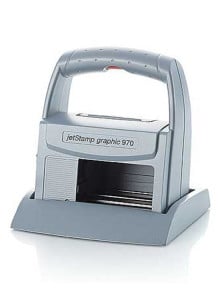
The JetStamp Graphic 970 expands capability to include barcodes, QR codes, logos, and other graphic elements. The print window measures 1/2" x 2-1/2", providing space for multi-line layouts that combine text and imagery.
Contract packagers often need this graphics capability to meet customer-specific marking requirements. A retailer might mandate scannable case codes. A brand owner might require their logo adjacent to lot information. The 970 handles these scenarios within a single print operation rather than requiring multiple marking steps.
JetStamp Graphic 1025: Maximum Print Area and Resolution
The JetStamp Graphic 1025 represents the top of the portable lineup. Print area expands to 1" high by 3-1/2" long at 300 DPI resolution. That's enough real estate for comprehensive shipping labels, detailed compliance information, and larger barcodes that scan reliably even on curved surfaces.
Cartridge capacity reaches up to 200,000 impressions, which translates to significant production volume before replacement. The self-traversing printhead moves automatically while the printer body stays stationary, enabling consistent marks on surfaces that would challenge fixed-head designs.
Weighing just 2.1 pounds with cartridge and batteries installed, the 1025 remains genuinely portable despite its expanded capabilities. Programming flexibility includes USB, Bluetooth, and Micro SD card options for message transfer.
What Makes Cartridge-Based Systems Low Maintenance?
Traditional industrial inkjet systems require regular attention. Ink lines need flushing. Printheads need cleaning. Filters need replacing. Viscosity needs monitoring. For operations with dedicated maintenance staff and predictable production schedules, these requirements are manageable. For small manufacturers running lean, they become operational headaches.
The JetStamp cartridge-based architecture sidesteps most maintenance concerns. The printhead is built into each ink cartridge, so you're effectively replacing the wear component every time you install fresh ink. No cleaning cycles. No clogged nozzles to troubleshoot. No special storage procedures when the printer sits idle between production runs.
This design choice costs slightly more per impression than bulk ink systems, but the tradeoff makes sense for operations that value uptime over marginal consumable savings. A printer that runs reliably with zero maintenance attention is worth more than one that costs less to operate but demands skilled technician time.
The practical result is equipment that production operators can manage without specialized training. Change a cartridge when the old one runs out. Keep the print window clear of debris. That's essentially the full maintenance protocol.
How Are Manufacturers Using JetStamp Printers Today?
Real-world applications demonstrate what's possible when handheld inkjet meets actual production challenges. Several Durable Technologies customers have shared their experiences implementing JetStamp solutions.
Cannabis industry compliance has driven significant adoption. State regulations require specific information printed directly on packaging, with rules that explicitly prohibit removable labels in many jurisdictions. The ability to print tamper-evident codes on pouches, bottles, and boxes makes handheld inkjet a practical compliance tool for licensed producers and contract packagers serving this market.
Food and beverage operations use JetStamp printers for date coding applications where inline systems would be overkill. A small-batch producer running a few hundred cases per day doesn't need a continuous inkjet system costing tens of thousands of dollars. A portable printer costing a fraction of that investment handles the same marking requirement with less complexity.
Contract packagers appreciate the flexibility to handle multiple customers' requirements without dedicated marking equipment for each account. One printer can serve different product lines, different date formats, and different substrate types as work orders change throughout the day.
Explore these application stories for more detail on specific implementations:
How Do You Get Started with Handheld Date Coding?
Selecting the right portable inkjet printer starts with understanding your actual requirements rather than assumed ones. What substrates will you mark? How many impressions per shift? Do you need barcodes and graphics, or will alphanumeric text suffice? What's your tolerance for changeover time between products?
Durable Technologies offers print samples on your actual packaging materials before you commit to equipment. Seeing how ink performs on your specific substrates eliminates guesswork and confirms that the solution will work in your production environment.
Technical support extends beyond the initial sale. Application engineers can help optimize print parameters, troubleshoot substrate adhesion challenges, and recommend ink formulations for unusual materials. That consultative approach makes a difference when you're integrating new equipment into an established production flow.
Contact Durable Technologies to discuss your package date coding requirements and request sample prints on your packaging materials.